Your Direct Line to Google

Sam McKinney
Founder & Lead Strategist • January 24, 2026
Overview
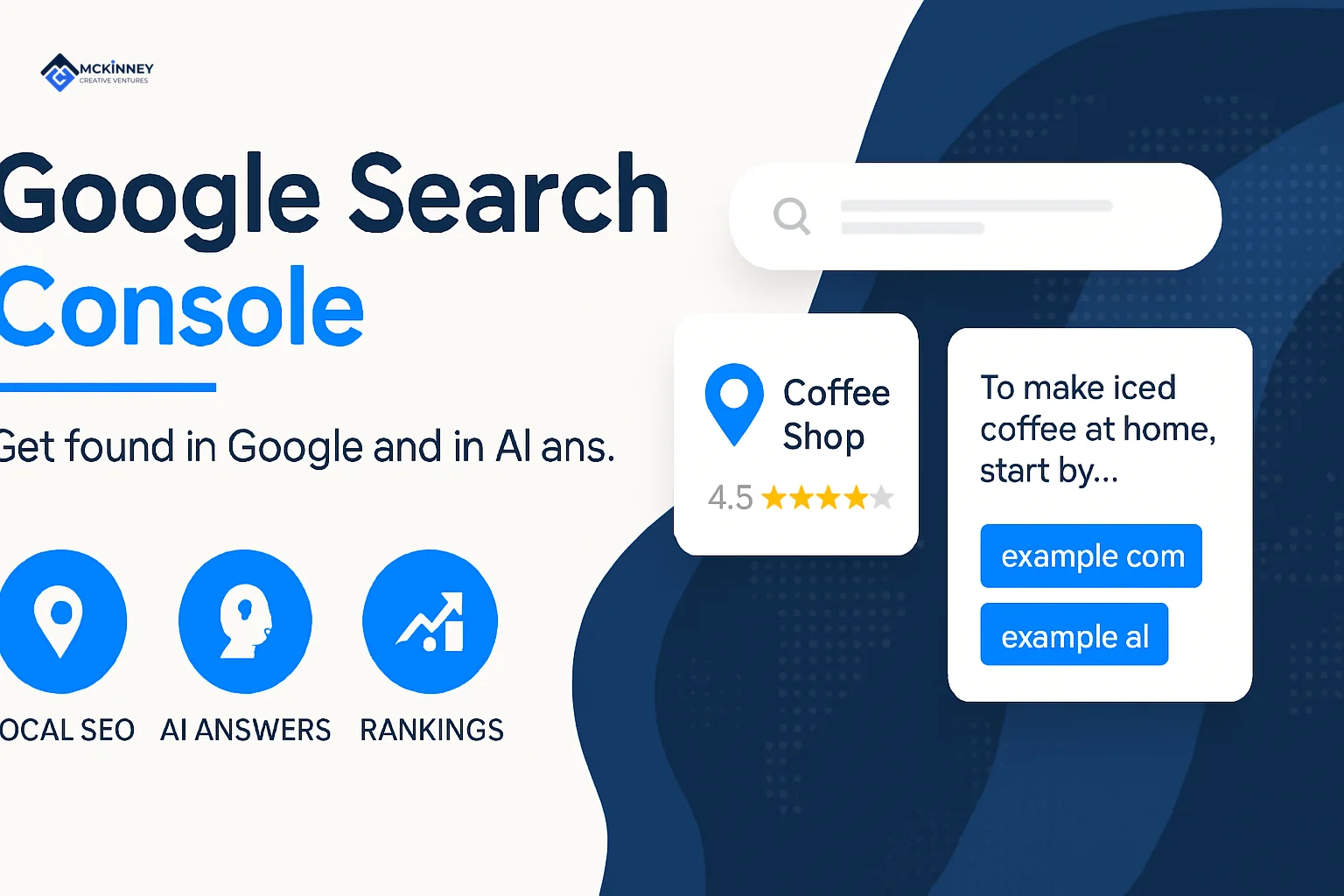
Google Search Console is a free web service from Google that helps you monitor, maintain, and troubleshoot your site's presence in Google Search results. It shows you which.
Google Search Console is a free web service from Google that helps you monitor, maintain, and troubleshoot your site's presence in Google Search results. It shows you which search queries bring people to your site, how your pages are indexed, and what issues might be holding you back from better visibility.
What Google Search Console does for you:
- Shows your search performance - See which keywords drive clicks and impressions
- Monitors indexing status - Know which pages Google can find and display
- Identifies technical issues - Get alerts about crawl errors and mobile usability problems
- Provides direct data from Google - No guessing about how Google sees your site
- Helps you request re-indexing - Speed up the process when you update content
Think of Google Search Console as a direct communication channel between you and Google. It's not just for developers or technical experts. If you own a website or manage marketing for a business, this tool gives you insights you can't get anywhere else.
Google launched this service in 2006 as Google Webmaster Tools. In 2015, they renamed it to Google Search Console and rolled out a completely redesigned interface in 2018. The tool has evolved to serve a broader audience, including business owners who need practical insights without the technical jargon.
I'm Sam McKinney, and I've used Google Search Console for over a decade to help businesses understand their search visibility and fix the issues that hold them back. At McKinney Creative Ventures, we use Google Search Console as the foundation for building marketing systems that generate consistent leads and growth.
Setting Up for Success: Your First Steps
Using Google Search Console is a fundamental step for any business aiming to thrive online in the East Metro Twin Cities and St. Croix Valley. It is a free, web-based product, and getting started is straightforward.
Who should use Search Console?
The strength of Google Search Console is its flexibility. It supports several roles inside a small business or marketing team:
- Business owners: Even with limited time, knowing the basics helps you understand your site's performance and visibility. Seeing that your site can be found by potential customers in places like Woodbury or Stillwater gives you confidence that your marketing is working in the background.
- SEO specialists and marketers: For us, it is a core tool. We use it to monitor organic traffic, guide content strategy, and make decisions about which pages to improve so our clients show up for the right local searches.
- Site administrators: If you look after the backend of a website, Google Search Console helps you monitor crawl issues, page load problems, and other technical items that affect how consistently your site appears in Google.
- Web developers: When you build or update pages, Search Console helps you spot markup and structured data issues so Google can better understand and present your content.
Product requirements for using Google Search Console
To access and use Google Search Console, you need a modern web browser and a Google account. Google recommends:
- Chrome
- Firefox
- Edge
- Safari
For the best experience, make sure cookies and JavaScript are enabled in your browser.
Verifying your website property
Before you can see data or use Google Search Console for your website, you must verify ownership. This proves to Google that you have legitimate control over the site.
Verification matters because Google Search Console shows information that only owners or trusted partners should see, and it gives you options that affect how your site appears in Google.
Typical verification methods include adding a short snippet of code to your site, uploading a small HTML file, or verifying through your domain name provider.
Choosing Your Property Type
When you add your website to Google Search Console, you can choose between a Domain property and a URL-prefix property. Picking the right one makes ongoing monitoring much simpler.
- URL-prefix property: This covers only URLs under the exact address you provide. That includes the protocol, such as
httporhttps, and any subdomain, likewww. For example,https://www.yourdomain.comis a separate property fromhttp://yourdomain.com. You would need to add and verify each variation on its own. - Domain property: Introduced in 2019, this option covers all URLs across all subdomains, such as
blog.yourdomain.comandshop.yourdomain.com, plus all protocol variations likehttpandhttpsunder a single domain. You see a complete, aggregated view of your site's performance without juggling multiple properties.
For our clients in places like Cottage Grove or River Falls, we almost always recommend a Domain property. It gives a unified view of your entire web presence and makes it easier to see patterns and issues across the site.
| Feature / Scope | URL-prefix Property | Domain Property |
|---|---|---|
| Coverage | Specific URL prefix (e.g., https://www.yourdomain.com) |
Entire domain, all subdomains, all protocols |
| Setup | HTML file, HTML tag, Google Analytics, Tag Manager | DNS verification (requires access to domain registrar) |
| Reporting | Data only for the specified prefix | Aggregated data for the entire domain |
| Management | Multiple properties for different variations | Single property for all variations |
| Recommended for | Specific page/section analysis | Comprehensive site monitoring and management |
Key Concepts to Understand
To get meaningful value from Google Search Console and use it to support your business in the Twin Cities or St. Croix Valley, it helps to understand a few core ideas about how Google processes websites. Learn the basics of Google Search if you want a deeper dive.
- Property: In Google Search Console, a "property" is your website. It is the verified site you have added to your account for tracking and analysis.
- Crawl: This is the starting point. Google's crawlers, often called Googlebot, follow links and sitemaps to find new and updated pages. They build a list of URLs to visit so your content can enter the search system.
- Index: After crawling, Google processes the content of each page. It reviews the words, images, and videos, then categorizes and stores that information in its index. That index functions like a massive digital library Google uses to match search queries.
- Impressions: An impression is counted when a link to your site appears in Google Search results (or surfaces such as Find, Google News, etc.). The user does not have to click. This metric reflects how often your site is seen.
- Clicks: A click is recorded when someone selects a link to your site from Google Search results. It is a direct sign of engagement with your listing.
- CTR (Click-Through Rate): CTR is the percentage of impressions that result in a click. It is calculated by dividing clicks by impressions. A higher CTR usually means your title and description are relevant and appealing to searchers.
- Average Position: This metric shows your average ranking in Google Search results for specific queries. A position of "1" is the top spot. "10" is typically near the bottom of the first page. For our local clients, we pay close attention to how key service pages move over time.
Once you are comfortable with these terms, the charts and tables inside Google Search Console start to tell a clear story about how people are finding your business.
Core Reports: Turning Data into Business Strategy
When we work with businesses in the East Metro and St. Croix Valley, our goal is to build marketing systems that deliver steady, reliable results. Google Search Console is a key part of that system. It gives us the raw data we need to make clear decisions about what to improve and what to keep doing.
This image shows the main navigation menu within Google Search Console, which is where you access the reports we rely on most.
We focus on reports that translate directly into business outcomes. The goal is not to chase every metric, but to find the insights that help you reach more of the right customers in places like Hudson or Lake Elmo.
The Performance Report: Your Keyword Goldmine
The Performance report is often the most valuable view inside Google Search Console. It shows how your website appears in Google Search and which searches are already bringing people to your site.
This report shows you:
- Clicks: How many times users clicked on your site's listing.
- Impressions: How many times your site's listing was seen.
- CTR (Click-Through Rate): The percentage of impressions that turned into clicks.
- Average Position: Your site's average ranking for specific search queries.
How to use this report for keyword research
The Performance report gives you real data about the terms people use before they land on your site. We lean on this data when shaping content and service pages for our clients.
We typically use it to:
- Identify high-value keywords: By sorting queries by clicks, we can see which terms already bring in visitors. This shows what content is pulling its weight and where it makes sense to add depth or supporting pages.
- Improve underperforming keywords: We look for keywords with high impressions but a low CTR, often in positions 10 to 30. These phrases get visibility but not many clicks. Small changes to title tags, meta descriptions, or on-page copy can make those listings more compelling.
- Find "low-hanging fruit" content opportunities: We focus on keywords in positions 5 to 15 with healthy impressions. These terms already have momentum. With a bit of refinement, they can often move into the top positions. For example, if a contractor in St. Paul sits at position 8 for "best patio builder," we may recommend adding more project photos, FAQs, or testimonials on that page to strengthen relevance.
- Track performance over time: We review trends to see how content updates, new services, or local seasonality affect search performance for businesses in areas like Roseville or Baldwin. This helps us keep the strategy grounded in real results.
The Page Indexing Report: Ensuring Google Sees Your Site
The Page Indexing report is foundational. If Google is not indexing a page, that page cannot show in search results.
We review this report regularly for our clients to confirm that important content is findable. You can open The Page Indexing report directly from your Search Console account.
Why indexing is the foundation of search visibility
If you have a strong service page for homeowners in Minneapolis, but Google never adds it to the index, it is essentially invisible. Google's index is the database it uses to match user searches with page content. If a page is missing from that database, it cannot appear for any search.
Understanding "Indexed" vs. "Not indexed" reasons
The report groups pages into "Indexed" and "Not indexed" and explains why a page falls into each category. Common reasons for "Not indexed" include:
- "Excluded by 'noindex' tag": The page is intentionally marked so Google will not index it.
- "Blocked by robots.txt": The page is blocked from crawling by your site's robots.txt file.
- "Page with redirect": The page sends visitors to another URL.
- "Not found (404)": The page is gone or the link is broken.
- "Crawled - currently not indexed": Google found the page but chose not to index it, often because it is very similar to other content or not strong enough yet.
A systematic approach to fixing common indexing issues
When we see problems in this report for clients in places like Stillwater Township or Prescott, we work through them in a consistent order:
- Prioritize critical errors: We start with issues like "Server error (5xx)" or "Redirect error" that can keep many pages from being indexed correctly.
- Review "Not found (404)" pages: We check whether these pages were intentionally removed or if something broke. If the content still matters, we set up redirects to the best replacement page.
- Check "Blocked by robots.txt" or "Excluded by 'noindex' tag": We confirm that these blocks are intentional. It is common to find an important page that was accidentally excluded.
- Investigate "Crawled - currently not indexed": Here we look at content quality and duplication. We work with the business to strengthen or consolidate content so each key page has a clear purpose and value.
By keeping an eye on this report and addressing issues in a steady, methodical way, we help ensure that the pages you invest in are actually seen by potential customers.
Advanced Tools in Google Search Console
Beyond the core performance and indexing reports, Google Search Console includes tools that help us troubleshoot specific pages and improve how visitors experience your site. These tools are especially useful when something is not working the way you expect.
This image shows the interface of the URL Inspection tool, which we rely on for detailed page-level checks.
Using the URL Inspection Tool in Google Search Console
The URL Inspection tool acts like a diagnostic panel for one specific page on your website. It shows how Google sees that exact URL.
How to inspect a specific page's status
To use it, paste any URL from your verified property into the search bar at the top of the Google Search Console interface. Google then returns information about that page from its index.
Understanding crawl, index, and serving information from Google's perspective
The URL Inspection tool provides:
- Coverage Status: Whether the URL is indexed and can be shown in search results, or if there are issues that prevent it from appearing.
- Crawl Details: When Google last crawled the page, whether the crawl was successful, and what type of Googlebot was used.
- Indexing Issues: Any problems Google noticed while indexing, such as "noindex" instructions, canonical URL concerns, or mobile usability issues.
- Live Test: An option to run a live check so you can see how Google renders the page at that moment, including JavaScript content.
For clients in places like Afton or Bayport, we use this tool when a page is not ranking as expected or when a recent update is not showing up in search.
Requesting indexing for new or updated content
If you publish a new page or significantly update an existing one, you can use the URL Inspection tool to "Request Indexing." This prompts Google to recrawl and reprocess that specific URL so your changes can appear in search results more quickly. It is especially helpful for new service pages or timely content for businesses in Maplewood or Landfall.
Sitemaps and Experience Reports
Google Search Console also includes tools that help you guide Google through your site and monitor how real users experience your pages.
Submitting a sitemap to guide Google
A sitemap is a file that lists key pages on your website. It helps Google's crawlers understand your site's structure and find important content. Submitting a clean, up-to-date sitemap through the Sitemaps report in Google Search Console is a best practice, especially for larger sites or those with many service areas.
We make sure our clients have working sitemaps in place so Google can find the right pages without guesswork.
The Core Web Vitals report and its connection to user experience
User experience is now baked into how Google evaluates pages. The Core Web Vitals report looks at real-world performance data and focuses on three important metrics:
- Largest Contentful Paint (LCP): How quickly the main content loads.
- First Input Delay (FID): How quickly the page responds when a user first interacts.
- Cumulative Layout Shift (CLS): How much content unexpectedly shifts around while the page is loading.
Poor Core Web Vitals can frustrate visitors and can also hurt search performance. We use this report to flag slow or jumpy pages for our clients in places like Grant or St. Paul, then work with their web teams to streamline layouts, images, and code.
The new Video Indexing report for video content
As more local businesses use video to explain services or show past projects, it has become more important to know how those videos appear in search. The Video Indexing report in Google Search Console shows how many videos on your site are eligible for video features in Google Search and why some may not be indexed.
We review this report to make sure our clients' video content, such as project walk-throughs or service explainers, can actually show up when people search. If there are issues, we adjust how the videos are embedded or how the pages are marked up so that content has a fair chance to be found.
Connecting the Dots: Integrating Your Marketing Data
For any business in the East Metro Twin Cities and St. Croix Valley, a strong marketing strategy depends on understanding the full customer journey. Integrating Google Search Console with Google Analytics helps you see both how people find you and what they do after they arrive.
This image demonstrates how Google Search Console data can be viewed directly within Google Analytics, giving you a more connected view of performance.
Why connecting Search Console and Google Analytics is a power move
Although both tools come from Google, they answer different questions.
- Google Search Console focuses on your presence in search results before someone clicks. It shows impressions, clicks, and average position for search queries.
- Google Analytics focuses on user behavior after the click. It shows how visitors interact with your pages, how long they stay, and whether they complete key actions such as calls, form fills, or quote requests.
When you link the two, you can trace a clearer line from search term to landing page to inquiry or sale. Linking Google Analytics to Webmaster Tools has been possible for years, and it continues to be a valuable step.
What data you get in Analytics from the integration
Once integrated, you can see Google Search Console data inside Google Analytics (in Universal Analytics, and selected reports within GA4). This includes:
- Queries: The search terms users typed before arriving at your site.
- Landing Pages: The pages users landed on from Google Search.
- Impressions, Clicks, CTR, Average Position: Search Console metrics available alongside engagement and conversion data.
Creating a more complete picture of the customer journey from search to conversion
With this integration in place, we can:
- See which keywords bring in visitors who spend time on the site, view multiple pages, or contact the business. A term that drives a lot of clicks but very few leads may signal a mismatch between the searcher’s intent and the page content.
- Measure how key landing pages from organic search are performing. For example, a "furnace repair in Oakdale" page might attract solid traffic but generate few calls. In that case, we may refine the content, adjust the call to action, or add trust elements like reviews and project photos.
- Spot content gaps and opportunities. By comparing search terms to on-site behavior, we can see where new pages or clearer messaging would better serve both the customer and the business.
For our clients, this linked view becomes part of an ongoing system. We look at it regularly, adjust content and campaigns based on what we see, and keep improving over time rather than relying on one-time fixes.
Extended Recap & Conclusion
As we've explored, Google Search Console is far more than just a data dashboard; it is a vital component of any effective digital marketing system. For businesses in the East Metro Twin Cities and St. Croix Valley, it provides the essential insights needed to monitor, maintain, and truly grow your online presence. It's the direct channel to understand how Google views your website, enabling you to fix issues, optimize content, and ultimately, connect with more customers actively searching for your services.
We believe in building robust, sustainable marketing systems for our clients, not just executing one-off tactics. Google Search Console is at the heart of this approach, offering the data-driven foundation to ensure your website is always working its hardest for your business. It allows us to move strategically, ensuring that every effort contributes to long-term growth and visibility.
Understanding the intricacies of Google Search Console and translating its data into actionable strategies can be time-consuming. That's where a trusted partner comes in. At McKinney Creative Ventures, we interpret these critical signals from Google, guide your strategy, and implement the necessary changes to improve your search performance. We ensure your marketing system is optimized for consistent results, allowing you to focus on what you do best, running your business.
Let's build a marketing system that drives your business forward
If you want a connected marketing system that brings this together for your business, we can help. Book a free strategy call and we will map out a plan built around your goals. No pitch, just a clear next step.
Frequently Asked Questions
How is Search Console different from Google Analytics?
Google Search Console is like a report card from Google on how your site appears in search results. It focuses on how people find you, which search terms they use, and whether Google has any trouble accessing or understanding your pages.
Google Analytics focuses on what happens after someone arrives on your site. It tracks visitor behavior, including which pages they view, how long they stay, and whether they complete key actions like filling out a form or booking an appointment.
Both tools are free, and they are most powerful when used together.
Do I need Search Console if my website is already on Google?
Yes. Your site can appear in Google Search without Google Search Console, but you will not have visibility into how well it is performing or where problems may be hiding.
Without Search Console, you would not know:
- If Google is running into problems when trying to access your pages.
- Which search queries are sending visitors to your site.
- How your page experience and Core Web Vitals are impacting users.
- How your pages perform on mobile devices.
- Which other websites are linking to yours.
For any business that depends on steady online visibility in places like Stillwater or New Richmond, Google Search Console is an essential part of the toolkit.
How often should I check my Search Console account?
The right frequency depends on how active your site is and how aggressively you want to grow search traffic. For most small and mid-sized local businesses, checking Google Search Console at least once a week works well.
That cadence allows you to:
- Catch new indexing or crawl issues before they snowball.
- Monitor changes in clicks, impressions, and rankings after you publish new content or update existing pages.
- Confirm that important updates have been crawled and indexed.
For our clients, ongoing monitoring is built into our regular reporting. We keep an eye on Search Console, flag issues early, and adjust the broader marketing system so your website keeps working harder for your business over time.
Written by
Sam McKinney
Founder & Lead Strategist, McKinney Creative Ventures
Sam McKinney helps local service businesses across the Twin Cities East Metro and St. Croix Valley grow through connected marketing systems. Websites, SEO, CRM, and AI automation built to work together instead of in isolation.
More about MCVRelated Articles
How to Get Cited by ChatGPT and Perplexity as a Local Business
AI assistants cite sources they can reach, trust, and quote quickly. Here is how retrieval actually works inside ChatGPT and Perplexity, and the sequence a local service business should work through to become one of those sources.
Storytelling, Skate Shops, and the Business of Video: Henry Schneider of Open Window Productions
Henry Schneider builds video for East Metro businesses at Open Window Productions and co-owns a North St. Paul skate shop. On mistakes as tuition, why story beats gear, and when authentic beats polished.
Ready to Grow Your Business?
Book a strategy call to discuss how we can implement these systems and strategies to help your business scale.
Book a Strategy Call